How to buy IPTV in the UK, step by step
Buy IPTV in five short steps, from choosing a plan to watching the first channel: what you send, how you pay, and how long the login takes to arrive.
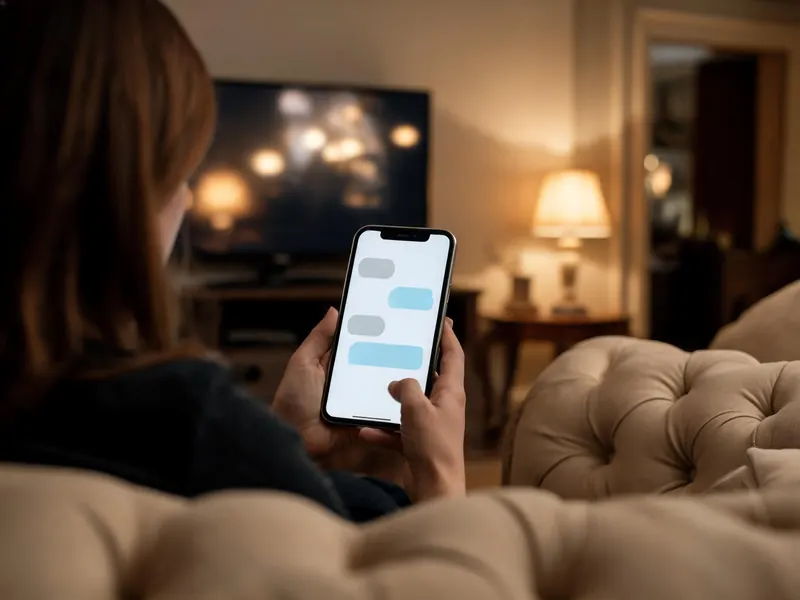
To buy IPTV in the UK from IPTV UK Station, you choose a plan, send a short form, pay through a secure card link on WhatsApp and receive your login in that same chat. It takes five steps, the first of them optional, and the login usually lands under 15 minutes after payment, at any hour of the day.
The five steps to buy IPTV in the UK
Take the free trial first, if you like
The trial is a complete account for 24 hours, with no card asked for. It is optional, but it answers the questions no sales page can: whether your channels are there, how the picture looks on your own TV and how your broadband copes at 9pm. Request the free trial and say which device you will watch on.
Choose the length and the number of screens
Plans run for 1, 3, 6 or 12 months, for 1, 2, 3 or 5 screens playing at the same time. Every plan opens the full line-up of 25,000+ channels and 120,000+ films and series, so the only questions are how long and how many at once. Count the rooms that watch together on a busy evening, not the devices with a player installed. The IPTV plans and prices page lists every combination, with an order button under each one.
Send the order form and keep your order number
The form asks for four things: your email address, your first name, your country and your WhatsApp number. It never asks for card details. When you confirm, the next screen shows your order number, in the form IUS-1001, with the total to pay. Check the WhatsApp number carefully before sending, because the payment link and the login both go to it. Rather skip the form? You can also order by writing to us on WhatsApp with the plan and screens you want.
Pay through the secure link on WhatsApp
We write to you on WhatsApp from +212 663 813 479 with a secure card payment link for that order. The order screen also has a button that opens WhatsApp with your order already typed in, if you would rather send the first message yourself. Open the link, enter your card on the payment page it shows, and the login follows once the payment clears.
Receive your login and set up the player
Your login arrives in the same chat, usually under 15 minutes after payment. Install a player on your TV, stick or box, type in the details and open a channel you know well, so anything wrong stands out at once. Tell us your device and the matching guide comes with the login; the setup guides also cover each device step by step.
Paying safely when you buy IPTV
Your card number belongs on the payment page that the link opens, and nowhere else. Not in the order form, not in a WhatsApp message, and not in a reply to anyone who says they work for us. We will never ask for card digits, a security code or a bank login in a chat, and nobody else should either.
We sell in two places only: iptvukstation.com and our WhatsApp number, +212 663 813 479. A payment link from any other number, or a seller using a similar name on another site, has nothing to do with us, and we cannot see, activate or refund what they sell.
If a payment message looks wrong, stop and ask in the chat you started from this website. Compare the number it came from with +212 663 813 479, and check that the amount matches the total shown after you sent the form.
What your login contains

The message that follows payment holds everything a player needs. Keep it private, because it works like a key to your plan.
| Part of the login | What it looks like | Where it goes |
|---|---|---|
| Username | A string of letters and numbers | The username field of the player |
| Password | Letters and numbers, case-sensitive | The password field |
| Server URL | An address starting with http://, ending with a colon and a port number | The server or URL field of an Xtream login |
| M3U link | One long address with the username and password inside it | Players that take a playlist, such as VLC |
| MAG portal | A portal address, sent once we have registered your box’s MAC address | The portal settings of a MAG box |
Most players, including TiviMate and IPTV Smarters Pro, use the first three together as an Xtream login, which brings the TV guide and the library with it. There is no IPTV UK Station app to download: the login goes into a player you install yourself.
What to check before you buy IPTV from any seller
Five minutes of checking before you pay saves most of the trouble that comes afterwards. Whoever you buy from, ask:
- Can you test the full service for free, without giving a card?
- Are the prices published on the site, so you know what a renewal will cost?
- Is there a written refund policy, and does it say what is not covered?
- Does the plan renew by itself, and is a card kept on file?
- How do you pay, and does anybody ask for card digits in a chat?
- Does a person answer a question before you have paid anything?
Ten checks before you pay any IPTV provider goes through each of these in detail, and applies them to us as well.
After you buy: renewal, extra screens and refunds
Renewal
Nothing renews by itself and no card is kept. Near the end of the term we send a WhatsApp message; reply to choose the next plan, or do nothing and the line simply stops. Paying works the same way as the first time, and your login and player setup stay as they are.
Adding screens
If the household needs another screen part way through a term, ask in the chat. You pay only the difference for the time left, and the same login carries on without any change to your players.
The money-back cover
Every plan carries 7 days of cover from activation. If the service will not run properly on your equipment and support cannot fix it, the payment comes back in full. A trial taken first uses none of those days. The refund policy lists what is covered and what is not.
If something stalls during the order
- No payment link yet. Use the button on the order screen to open WhatsApp with your order typed in, or message +212 663 813 479 with your first name and order number. The order is saved either way.
- You closed the order screen. The summary stays on screen for two hours, but the order itself is kept. Send your first name, and the order number if you noted it, on WhatsApp.
- The form will not send. It needs a complete email address, a first name, a country and a WhatsApp number with at least seven digits. If it still refuses, place the order on WhatsApp instead.
- Paid, but no login. If a quarter of an hour has passed, reply in the same chat and we will check where the payment stands. Banks sometimes pause a card payment for an extra security step.
Most other questions about ordering, plans and devices are answered in the IPTV UK Station FAQ.
Questions before you buy IPTV
Do I need to create an account to buy IPTV here?
No. There is no website account, password or sign-up. The order form takes your email, first name, country and WhatsApp number and gives you an order number; everything after that happens in one WhatsApp chat, from the payment link to the login and any help you need later. The only login you ever use is the one that goes into your player.
What if I entered the wrong WhatsApp number on the order form?
Message us on WhatsApp at +212 663 813 479 from the number you meant to use, with your first name and your order number. We match it to the saved order and send the payment link there instead. Nothing is charged until you pay through a link, so a mistyped number costs you nothing more than a short delay.
Can I buy IPTV with a phone number from outside the UK?
Yes. The order form has a country list that sets the dialling code, so a WhatsApp number from any country works. The payment link and the login travel to whichever number you give. The service itself is built around UK viewing, with the UK groups at the top of the channel list and support on WhatsApp at any hour.
Can I buy without taking the free trial first?
Yes. The trial is there to answer your questions before you pay, not a step you must complete. If you order straight away, the 7-day money-back cover still runs from activation: if the service will not work on your equipment and support cannot fix it, you get the payment back. A trial taken first uses none of those days.
Can I buy IPTV for two different homes?
Yes, as two separate plans. Each account belongs to one household, so a second home needs its own line rather than an extra screen on yours. Send one order form per home, or tell us in the WhatsApp chat that you want two lines, and each gets its own login. Anyone setting up lines for many homes should read about the reseller programme instead.