Your IPTV free trial: 24 hours on your own TV

Our IPTV free trial is a complete account for 24 hours. Ask on WhatsApp or with the form below, then check the channels, the picture and the speed at home before paying anything.

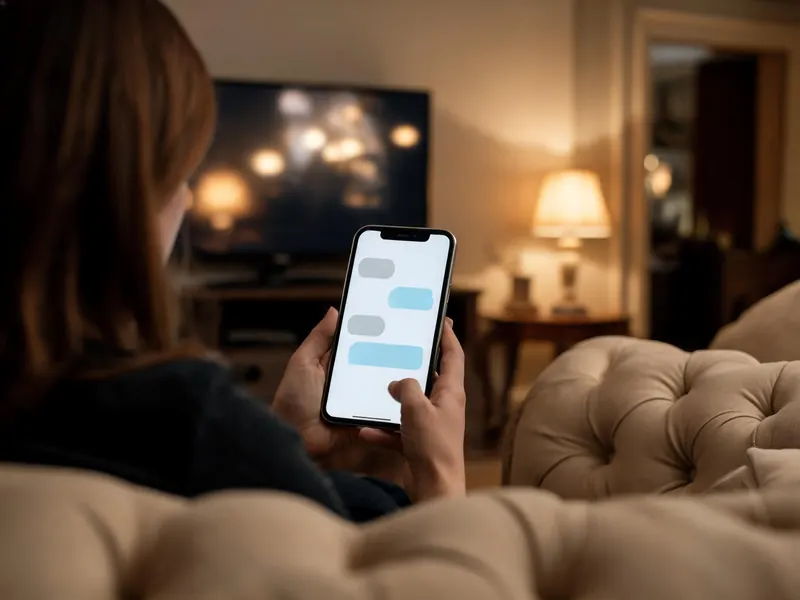
A person on a sofa reading a chat on a phone, the TV glowing behind
How it works

How the IPTV free trial works

Tell us which screen you watch on and we open a complete account for 24 hours. The form hands your request to WhatsApp, where a person on our desk replies with your login, usually in under 15 minutes, at any hour. Trials are opened by hand on purpose: whoever answers stays in the chat to help with the player and the TV guide.

  1. Fill in the form: your email, the device you watch on and, if you like, your WhatsApp number.
  2. Send the WhatsApp message it prepares. The reply carries a username, a password and a server address.
  3. Install a player and sign in, following the setup guide for your device. There is no app of ours to find; the login works in players such as TiviMate and IPTV Smarters Pro.

No card, no billing details, nothing to cancel. When the 24 hours are up the login simply stops.

Ask for your 24-hour login

Nothing to pay and no card. Rather message us yourself? WhatsApp +212 663 813 479

No card and no payment. The button opens WhatsApp with your request already typed, and you press send. Trials are opened by a person, usually in under 15 minutes.

Included in the trial

Everything a paying account has, for 24 hours

Not a cut-down sample. A trial that hid half the list could not answer the question you are asking.

All 25,000+ live channels

The UK groups and the international ones from 60+ countries. See how the line-up is organised.

The 120,000+-title library

Films and series on demand, so you can check the box sets you were planning to watch.

4K where the source is 4K

Plus FHD and HD on the rest. A day on your own TV and broadband is the only honest way to see what they show.

TV guide and catch-up

The programme guide, and catch-up on the channels that keep an archive, so you can test both before paying.

Several screens

If two people often watch at once, say so when you ask and we can open the trial on two screens.

A person on WhatsApp

The same 24/7 desk that looks after paying customers, there for setup questions while your hours run.

Test plan

A 24-hour plan for testing IPTV properly

Clicking through fifty channels only proves that they load. Six checks spread over the day tell you whether the service suits your home and your evenings.

First 15 minutes

Sign in, then open a channel you know

Install the player your device needs (on a Firestick, TiviMate is a good start), sign in, and go straight to a channel you watch every week. You know how it should look, so anything off stands out.

First hour

Check the TV guide

Open the guide and make sure now-and-next shows for the channels you care about. If the grid is empty, refresh the EPG in the player settings and give it a few minutes.

Same evening

Play a film from the library

Pick a title from films or series, let it run for ten minutes and skip forward once. On-demand files stress the line differently from live channels.

Peak hours

Watch while the house is online

Between 8 and 11 pm, keep one stream playing while everyone else uses the internet. A quiet afternoon tells you very little about how a line holds up. If it buffers, start here.

If you need it

Two screens at once

If the household often watches in two rooms, run two streams together for half an hour. That is the real test for a multi-screen plan.

Next morning

Try catch-up, then decide

Replay something from last night on a channel that keeps an archive, then make up your mind. Order a plan or let the trial lapse; either way there is nothing to cancel.

After the trial

When your 24 hours are up

The trial login simply stops working. No card was taken, so nothing is charged and nobody chases you. If you want to keep watching, compare the IPTV subscription plans and pick one: the order form leads to a payment link on WhatsApp, and the paid login usually arrives in under 15 minutes. Plans are paid once, never renew automatically and carry 7 days of money-back cover.

Trials are one per household, because each one uses a real place on our servers. If yours was spoiled by something specific, such as a router problem you have since fixed or a device you have replaced, tell us and we will usually open another.

We open trials only through this website and our WhatsApp number, +212 663 813 479. Any other site offering a trial under a similar name is not connected with us. Back to the trial form

IPTV free trial questions

Is the IPTV free trial really free?

Yes. No card, no billing details and nothing to cancel: the test login simply stops after 24 hours. If you want to carry on, you order a plan; if you do not, nothing else happens and nobody chases you. It is the same service paid accounts use, for a shorter time.

What is open during the trial?

Everything: the 25,000+ channels, the 120,000+ films and series, the TV guide, catch-up where a channel keeps it, and the 4K feeds. It is a complete account for 24 hours, not a sample, because a cut-down version would not tell you whether the service suits your home.

How quickly does the trial login arrive?

Normally within minutes, day or night, because the WhatsApp desk is staffed around the clock. The login comes back in the same chat you asked in. Tell us the device you will use and we send its setup guide with it, so you spend the 24 hours watching rather than searching menus.

What should I test during the trial?

The things that will decide whether you stay. Open the channels you watch most, at the hour you usually watch them, on your real screen. Check the TV guide, try a film from the library, and if two people watch at once, test two screens. Note anything that stutters and ask us about it before the 24 hours end.

Can I have a second trial?

Normally one per household, because each trial uses a real place on our servers. If yours was spoiled by something specific, such as a router problem you have since fixed or a device you have replaced, tell us what happened and we will usually open another.

Are the player apps free?

Some are and some are not, and that is separate from what you pay us. IPTV Smarters Pro is free to install, TiviMate has a free version and a paid Premium upgrade, and a few smart-TV players ask a small one-off fee. Those charges belong to the app makers; an app on its own carries no channels.

WhatsApp