Our IPTV service in the UK, feature by feature
IPTV services differ in the details, so here is ours part by part: live channels, the film and series library, the TV guide, catch-up, several screens and the WhatsApp desk, with the limits of each.
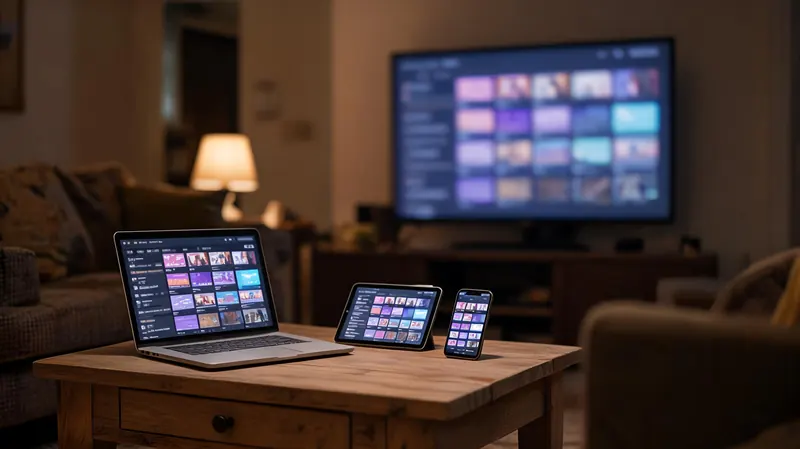
IPTV services all quote a channel count, and on its own the count tells you very little. What decides whether a service suits your house is the detail around it, so here is ours, part by part, with the limits written next to each part rather than left for you to discover after paying.
Live TV: 25,000+ channels
The line-up opens with the UK groups (entertainment, news, documentaries, kids, film, sport, music and regional channels), followed by premium film, sport and entertainment groups, a dedicated 4K group and international groups from 60+ countries. Every plan opens every group; there are no tiers and no add-ons. The channel line-up by category explains what each group holds and how to find a channel quickly.
Limits: line-ups change as broadcasters change their feeds, so no single channel is promised for a set period. The trial is where you check that your own channels are there and steady at the hour you watch.
Films and series on demand: 120,000+ titles
The library sits in its own sections of the player, usually called Movies or VOD and Series, sorted into categories. Series are arranged by season and episode, and players that remember your place let you stop a film and carry on later.
Limits: titles are added and removed over time; a title plays in 4K only where a 4K version exists; and how the library looks depends on the player. Some players show it as neat posters, while others, VLC among them, show one long plain list.
TV guide and catch-up
The TV guide (EPG) loads with the Xtream login in most players and shows now-and-next and the full grid for the channels that publish listings. Catch-up lets you replay programmes that have already aired, on the channels that keep an archive, usually marked with a small icon in the guide.
Limits: not every channel publishes a guide or keeps an archive, and the number of days you can go back depends on the channel. Catch-up also needs a player that supports it, and some players offer it only in their paid version. If the guide shows the wrong times, the device clock or the player’s guide offset needs adjusting.
Screens, devices and players
Plans cover 1, 2, 3 or 5 screens playing at the same moment. You can install a player on every TV, stick, box, phone and computer in the household; the plan only limits how many play at once. If the household needs more, you can add screens part way through a term and pay only the difference for the time left.
There is no IPTV UK Station app. Your login works in third-party players: TiviMate or IPTV Smarters Pro on a Firestick or an Android TV box, players such as IBO Player or SET IPTV on Samsung and LG smart TVs, App Store players on Apple TV, iPhone and iPad, and VLC or Kodi on a computer. MAG boxes are registered by their MAC address and use a portal URL instead. The setup guides take one device per page.
Limits: some players have a paid version or a small one-off activation fee, which goes to their developer rather than to us, and some older smart TVs have no suitable player at all, in which case a streaming stick is the answer.
Picture quality
Channels play in 4K where the source is 4K, and in FHD or HD everywhere else. A 4K picture needs a 4K TV, a 4K-capable streaming device and about 25 Mbps for each stream; HD needs about 10 Mbps. A cable to the TV, stick or box holds the picture better than Wi-Fi. What really streams in 4K covers the TV, device and broadband side in detail.
Limits: your broadband, your router and your device set the ceiling. We cannot make a slow line fast, and a line below those figures is not something the money-back cover can fix.
Support on WhatsApp, at any hour
Support is a written WhatsApp chat, staffed 24/7, in the same conversation where you ordered, so your order and setup history are already there when you write. The desk helps with signing in, setting up players, the TV guide, buffering checks, extra screens, renewals and refunds. The help centre covers the common faults if you would rather fix them yourself first.
Limits: there is no phone line and no public email address, and the chat is in writing only. We can walk you through a device’s menus, but we cannot repair hardware or sell you a player’s paid upgrade.
Ordering, renewal and refunds
You order with a short form on the site, receive an order number, pay through a secure card link sent on WhatsApp and get your login in the same chat, usually under 15 minutes after payment. Plans run for 1, 3, 6 or 12 months and are paid once: nothing renews automatically, no card is kept on file and there is no contract. Every plan carries 7 days of money-back cover from activation, set out in the refund policy, and the plans page lists every price.
Limits: the cover applies when the service will not run on your equipment and support cannot fix it. A change of mind after the 7 days, a line too slow for streaming or a single channel leaving the line-up are not covered.
Every part and its limits, in one table
| Feature | What you get | Limits |
|---|---|---|
| Live TV | 25,000+ channels, UK groups first, international groups from 60+ countries | Line-ups change; no channel promised for a set period |
| Films and series | 120,000+ titles on demand | Titles come and go; 4K only where a 4K version exists |
| TV guide (EPG) | Now-and-next and the full grid in most players | Only on channels that publish listings |
| Catch-up | Replay of programmes that already aired | Only on channels that keep an archive; the player must support it |
| Screens | 1, 2, 3 or 5 at once, on any number of devices | One household per account |
| Picture | 4K, FHD and HD | Depends on the source, your device and your broadband |
| Players | Any player that takes an Xtream login or an M3U link; MAG boxes by portal | No app of our own; some players charge their own fee |
| Support | Written WhatsApp chat, 24/7 | No phone line, no public email |
| Paying | Paid once, no auto-renewal, 7-day money-back cover | Cover excludes slow broadband and a change of mind |
What our IPTV service is not
- Not a box rental. You watch on a device you already own, or one you buy yourself from any shop.
- Not an app. No app exists under our name, so any download offered as one did not come from us.
- Not a contract. Nothing ties you beyond the term you paid for, and nothing is taken from your card later.
- Not an installation. There is no dish, aerial or engineer visit; everything arrives over the broadband you already have.
- Not a channel-by-channel bundle. There are no tiers or add-ons to unlock, so every plan opens the same service.
To see all of it working on your own TV before choosing a plan, take the free trial: 24 hours on a complete account, with no card asked for.
IPTV service questions
Does an IPTV service need a satellite dish or an aerial?
No. Everything arrives over your home broadband, so there is no dish to fit, no aerial cable and no engineer visit. You need a line with about 10 Mbps for each HD stream, a device that runs a player app, and the login we send. If the house already streams video comfortably in the evening, it can usually carry the service as well.
Can I keep my current TV package alongside it?
Yes. The service is a player app on a stick, box, TV or phone, so it sits beside whatever you already have and nothing needs cancelling or changing. A streaming stick in a spare HDMI input lets you switch between the two with the input button on the TV remote. Our plan ties you to nothing beyond the term you paid for.
What does the support desk help with?
Anything between the order and a working picture: signing in to a player, finding the TV guide setting, choosing a device, checking why a channel buffers, adding screens, renewals and refund requests. It is a written WhatsApp chat, open around the clock, with your order history already in the conversation. It cannot repair a faulty device or sell you a player's paid upgrade, which comes from that app's developer.
Is there a phone number I can call?
No. Support is written only, on WhatsApp at +212 663 813 479, at any hour of the day. Writing suits this kind of help: a login, a server address or a menu path is far easier to get right on screen, and the chat keeps a record of what has already been tried. If you cannot use WhatsApp, the contact page has a form.
What happens if the service itself has a fault?
Faults on our side are rarer than home network problems, but any internet service can have one. When it happens, we message customers on WhatsApp to say what is going on rather than leaving you to guess. If we cannot put it right and the service will not run within your first 7 days, the money-back cover in the refund policy still applies.