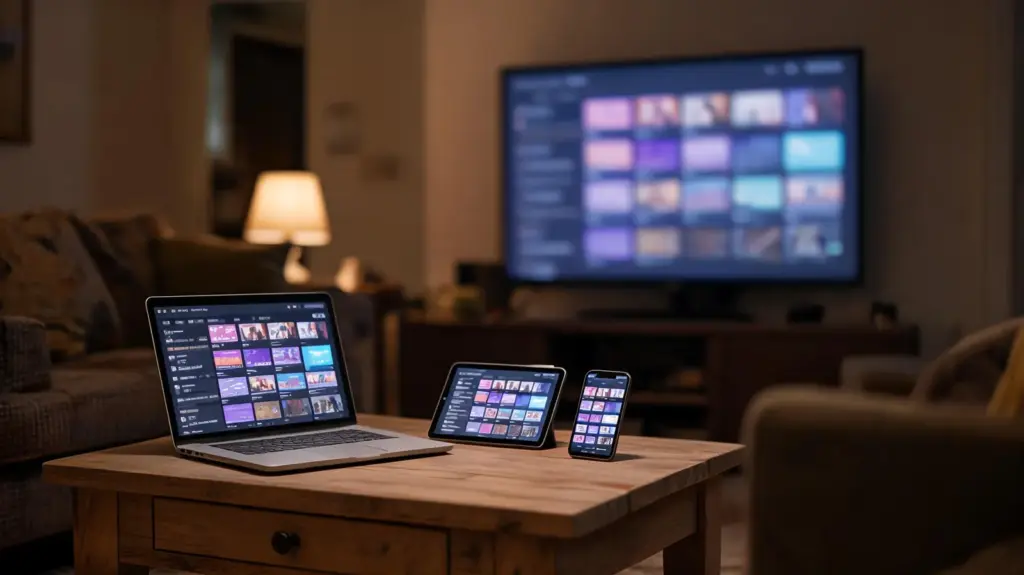
The best IPTV player is the one built for the screen you actually watch on: TiviMate on a Firestick or Android TV box, a player from the TV’s own store on a Samsung or LG, an App Store player on Apple devices, and VLC or Kodi on a computer. A player only shows what your subscription sends it, so the same login can feel quick and tidy in one app and clumsy in another. Below are the main players, the criteria that separate them, and a device-by-device pick with honest limits.
What an IPTV player does, and what it does not
A player app reads your login, downloads the channel list and the TV guide, and plays the channel you choose. It carries no channels of its own: every player on this page is empty until you add a subscription. That is why a free player does not mean free television, and why paying for a player’s upgrade never adds a single channel.
There is no IPTV UK Station app either. We send a standard login (an Xtream username, password and server URL, plus an M3U link), and it works in any of the players below. Our setup guides show where that login goes on each device.
The criteria that matter when you compare players
- Login types. An Xtream login gives the player separate sections for live TV, films and series, and usually catch-up. An M3U link works almost everywhere but often arrives as one long list. MAG boxes use a portal address instead of an app.
- TV guide. Some players show a proper grid you can scroll through hours ahead; others show only what is on now and next. Speed matters too: a guide covering 25,000+ channels is heavy.
- Catch-up. Only works on channels that keep an archive, and only in players that support it.
- Recording. Rare, and it saves to the device’s own storage, which on a stick fills up quickly.
- Multi-view. Several channels on one screen at once. Each one counts as a screen on your plan.
- Handling a long list. Favourites, search, and the ability to hide whole groups you never watch make a big line-up usable.
- Price model. Free, free with adverts, a paid upgrade, a one-off activation fee or a subscription, always paid to the player’s developer.
- Updates. A recent update history and a developer website you can find matter more than a long feature list.
The main IPTV players, one by one
TiviMate
Runs on Android TV, Google TV and Fire TV devices that use Fire OS. It was designed around the TV guide and a remote control, and it stays quick with a very long channel list. The free version covers one playlist and the guide; the paid Premium adds favourites, catch-up, recording, multi-view and much more, as TiviMate Premium against the free version explains.
Limits: no version for Apple devices, Samsung or LG TVs, or Windows. It is not designed for touch screens, so it is a poor fit on phones. On a Firestick it is installed with the Downloader app rather than from the Appstore.
IPTV Smarters Pro
The player that runs almost everywhere: Android phones and TV boxes, Fire TV, Windows and Mac, with Apple versions in the App Store. Its home screen splits live TV, films and series into large tiles, which suits households where some people mainly watch the film library.
Limits: the guide is less fluid than TiviMate’s on a long list, and the app’s name has changed across stores, so look-alikes with similar icons are common. Smarters Lite against Smarters Pro untangles which version belongs on which device.
Kodi with the PVR IPTV Simple Client add-on
Kodi is a free, open-source media centre for Windows, Mac, Android and Android TV, and it can be installed on Fire OS sticks. The free PVR IPTV Simple Client add-on turns your M3U link and guide address into a full live TV section with a proper grid.
Limits: setup takes longer than typing a username and password, the add-on works from the M3U link rather than an Xtream login, and Kodi can feel heavy on an older or entry-level stick.
VLC
Free, without adverts, and available on nearly every platform. Paste the M3U link and the whole line-up appears as a playlist within a minute or two, which makes it the quickest way to check that a login works.
Limits: no real TV guide, no catch-up, and a list of 25,000+ channels makes it slow to scroll. Using VLC as an IPTV player covers it in detail.
Smart-TV players: IBO Player, SET IPTV, Smart IPTV
Samsung (Tizen) and LG (webOS) televisions cannot run TiviMate, so they use players from the TV’s own app store. Most are activated with the TV’s MAC address on the player developer’s website, usually for a small one-off fee to that developer, and you then add our M3U link or Xtream details.
Limits: which apps appear depends on the TV’s brand and model year, menus are slower than on a streaming stick, and if a player is withdrawn from the store your setup goes with it. The Samsung and LG guide covers each one.
Apple players
On iPhone, iPad and Apple TV the choice includes Smarters Player Lite, IPTVX, iPlayTV (Apple TV) and GSE Smart IPTV. Some are free with adverts or an in-app upgrade; others charge a one-off or subscription fee to their developer. The Apple guide compares them.
MAG and Formuler boxes
These dedicated boxes need no player choice at all. A MAG box is registered on your line by its MAC address and loads a portal address in its own menu; Formuler boxes come with their own player built in.
Which player on which device
| Device | Player we suggest first | Good alternative | Login to use |
|---|---|---|---|
| Firestick or Fire TV on Fire OS | TiviMate | IPTV Smarters Pro | Xtream |
| Android TV or Google TV box, Nvidia Shield | TiviMate | IPTV Smarters Pro, Kodi | Xtream |
| Android phone or tablet | IPTV Smarters Pro, mobile edition | VLC for a quick check | Xtream or M3U |
| Samsung or LG smart TV | IBO Player or SET IPTV | Smart IPTV | M3U or Xtream, after activation |
| Apple TV | Smarters Player Lite or iPlayTV | IPTVX | Xtream or M3U |
| iPhone or iPad | Smarters Player Lite | IPTVX, GSE Smart IPTV | Xtream or M3U |
| Windows 10 or 11 | IPTV Smarters Pro for Windows | Kodi, VLC | Xtream or M3U |
| macOS | Kodi | VLC | M3U |
| MAG or Formuler box | The box’s built-in portal or player | None needed | Portal address and MAC |
For a closer look at sticks, see the best IPTV app for Firestick; for computers, the Windows and Mac player comparison.
Free, free with adverts, or paid: how players charge
Player fees are separate from your IPTV subscription and go to the app’s developer, never to us. Broadly there are four models:
- Free and open source: VLC and Kodi. No adverts, no upgrades.
- Free with an optional paid upgrade: TiviMate Premium, and the in-app upgrades of some Smarters editions. The free version is enough to test.
- One-off activation: most smart-TV players, after a short trial period on the TV.
- Paid up front or by subscription: some App Store players.
Be wary of anyone selling a player “with channels included” or an unlocked copy of a paid player. Those builds come from unknown sources, stop updating, and the money never reaches the people who maintain the app.
Our honest pick, and how to test it yourself
On a Firestick, Android TV or Google TV device, start with the free TiviMate and decide about Premium after a week. On anything else, IPTV Smarters Pro or the matching Apple or smart-TV player is the sensible first try. If you like to tinker and already use Kodi, add the Simple Client and keep everything in one place.
Players are easy to compare side by side: install two, add the same login to both, and watch the same channel in each. Installed apps do not use up screens; only streams playing at the same moment count. The 24-hour free trial gives you a complete login to run that comparison at the hour you normally watch.
Short answers on this topic
What is the easiest IPTV player for a beginner?
IPTV Smarters Pro is usually the gentlest start, because it runs on most devices and splits live TV, films and series into large, clearly labelled tiles. You type a username, password and server address once and the app sorts the rest. On a Firestick or Android TV box, the free TiviMate is just as easy once the playlist is added.
Do IPTV players come with any channels?
No. Every IPTV player is an empty shell until you add a login from a subscription. The app reads that login, builds the channel list and guide, and plays the streams. Paying for a player's upgrade unlocks features in the app, such as recording or favourites, but never adds channels. Treat any player sold with channels included as a warning sign.
Can I use two different IPTV players with the same login?
Yes. The login is not tied to one app, so you can add it to TiviMate on the living-room stick and to Smarters on a phone, or install two players on one device to compare them. Only streams playing at the same moment count towards your plan's screens, so installing extra players costs nothing.
Which IPTV player has the best TV guide?
TiviMate has the clearest and fastest guide grid on Android TV and Fire OS devices, which is the main reason it is so widely used. Kodi with the PVR IPTV Simple Client also offers a full grid and is free, with more setup. VLC has no proper guide at all, so it suits testing a link rather than everyday viewing.
Is TiviMate or IPTV Smarters better?
For live TV and the guide on a Firestick or Android TV box, TiviMate is usually better, especially with Premium. IPTV Smarters Pro wins on reach: it runs on phones, computers and Apple devices too, and its separate film and series sections suit people who watch the library more than live channels. Many households use both.
Read next
Best IPTV App for Firestick: The Players That Run Well on Fire TV
TiviMate, IPTV Smarters Pro, Kodi and Appstore players compared on Fire TV: which to choose, how each installs, and the habits that…
October 24, 2026IPTV Smarters Lite vs Pro: Which Smarters App for Your Device
Smarters Player Lite and IPTV Smarters Pro compared: which devices each runs on, how the features differ, and how to sign in…
October 24, 2026IPTV Smarters Pro Windows: Install and Sign In on a PC
How to install IPTV Smarters Pro on Windows 10 or 11 from the developer's own site, sign in with your Xtream login,…